Your games, well organized.

A home for your emulated games on Windows. Organize your collection, follow your achievements, and get back to your next adventure.

Windows 10 and 11 · 64-bitv1.0.0

Playtrove demo 1.0.0 · Sample library

More time playing. Less time searching.

From your next session to your latest achievement, one place to follow your collection.

A collection your way

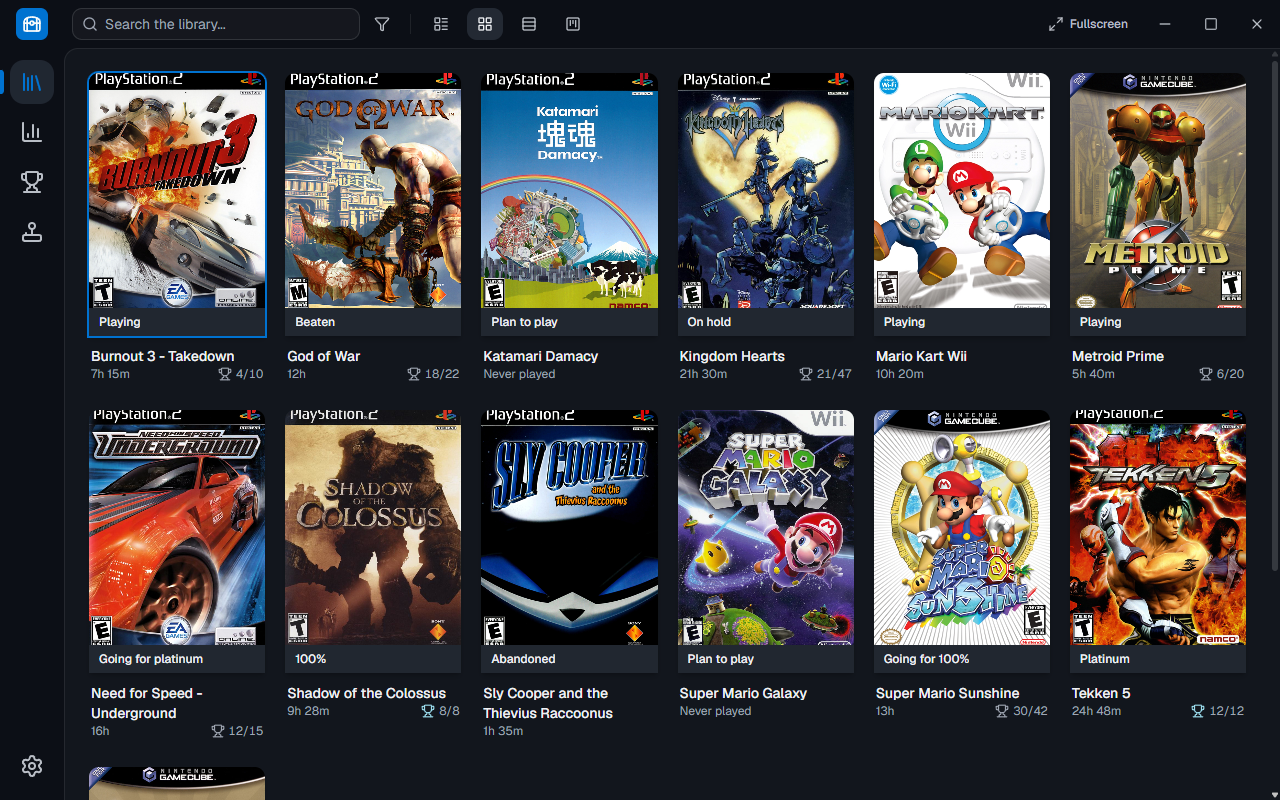
Choose Details, Grid, List, or Kanban. Use favorites, filters, and custom statuses to find what you want to play.

Demo library in Grid view, with complete cover art and each game’s status.

Your progress, in view

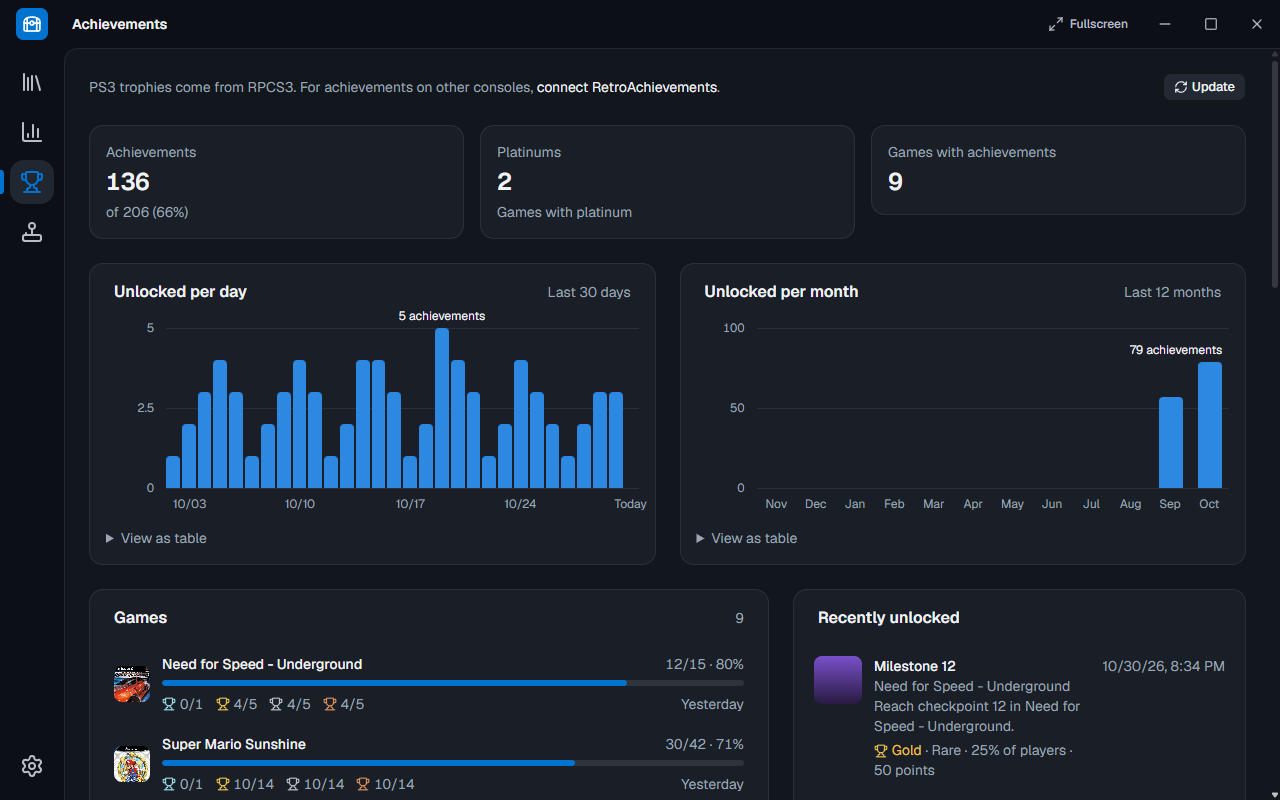
See your playtime, ratings, and statistics. Follow RetroAchievements achievements and RPCS3 trophies in the same library.

Demo library achievements, with trophies and game progress.

Fullscreen for the TV

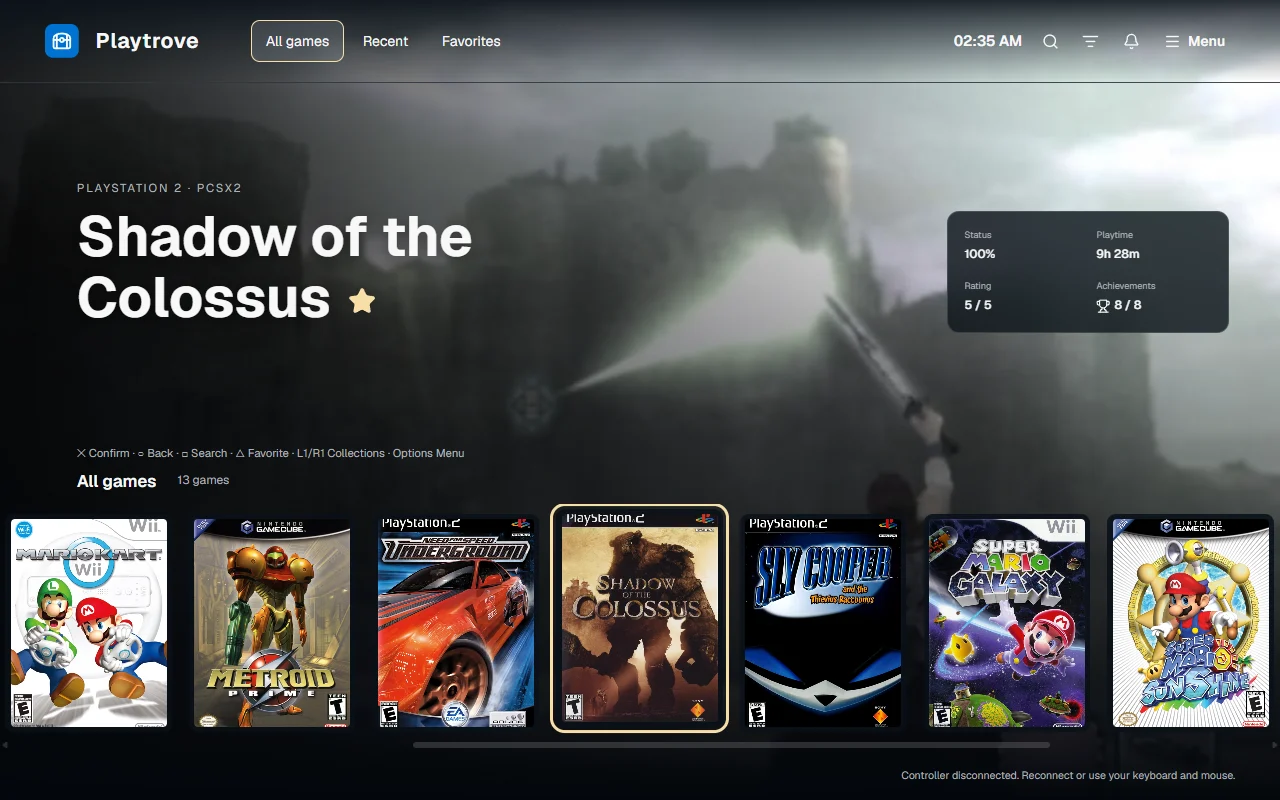
Browse your library with a DualSense, a keyboard or a mouse. Pick one of four themes, each with its own home screen, game details and sounds.

Playtrove fullscreen theme, with the featured game and a row of covers.

Your data stays with you

Your library, ratings, and reviews stay on your computer. There is no Playtrove account to create before organizing your games.

The emulators you already use.

Add your ROM folders, find your games, and launch your next session from the library. Playtrove uses the emulators installed on your computer.

Get started
  • PCSX2
  • DuckStation
  • RetroArch
  • RPCS3
  • PPSSPP
  • Dolphin
  • Azahar

Playtrove does not include emulators or games.

What’s new in Playtrove

See what arrived in each release.

See all updates

New in 1.0.0

Fullscreen is here, with four themes for playing from the couch, and every cover now looks the same.

Read the full release notes
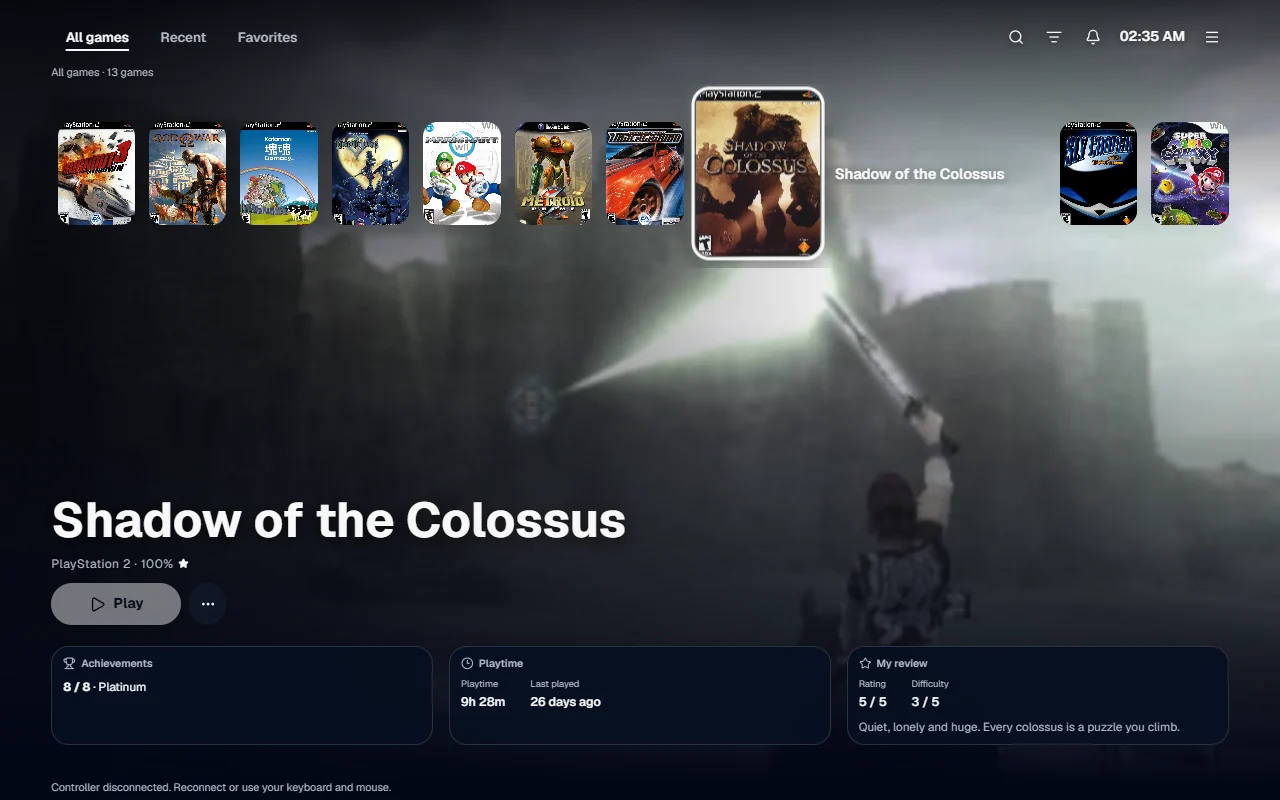
Horizon fullscreen theme, with a row of games on top and the art filling the screen.

Fullscreen with four themes

Play from the couch with a DualSense, a keyboard or a mouse, in the Playtrove, Horizon, Mosaic and Panel themes.
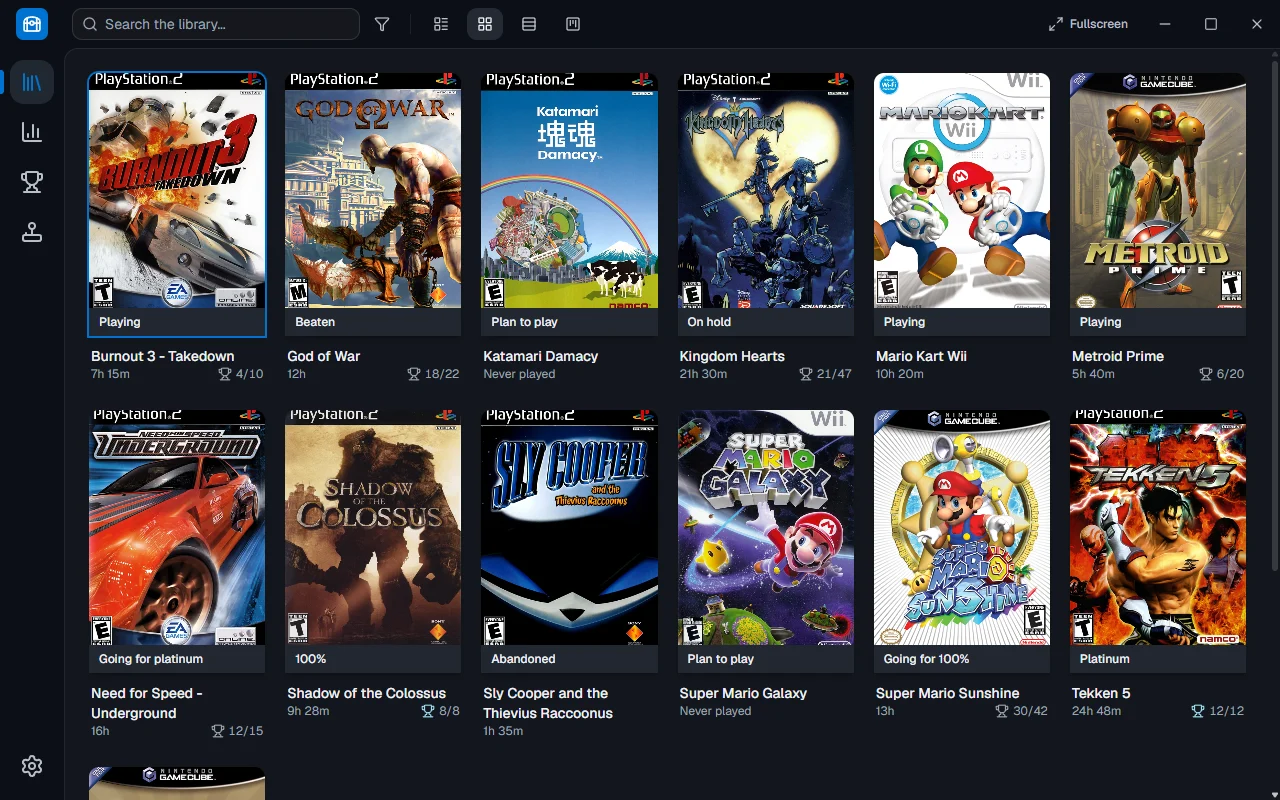
Library in Grid view, with every cover in the same upright frame.

Matching covers everywhere

Every cover uses the same upright frame, as in Playnite, and comes first from SteamGridDB.
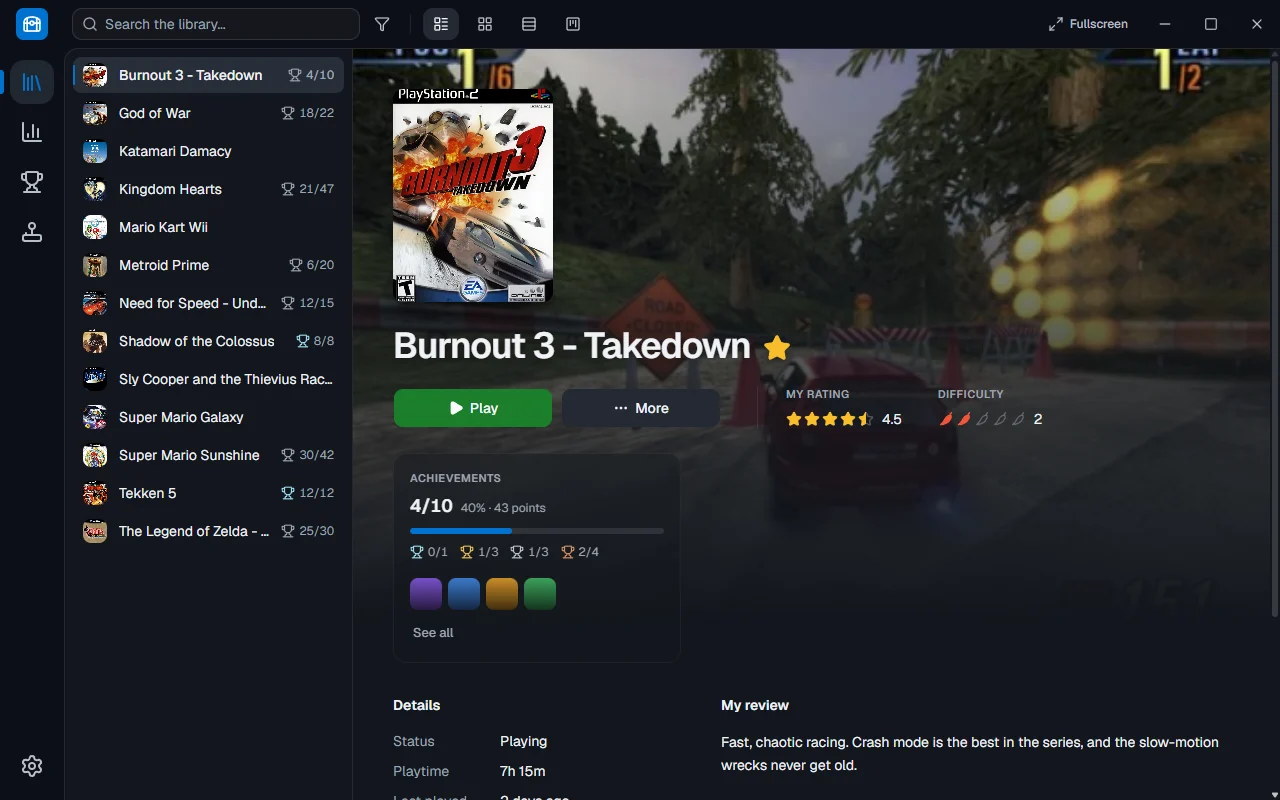
Game details with background art, rating and achievements.

Theme music and trailers

Each game can have its own soundtrack, played offline, and a silent trailer behind its details.

Earlier versions

  1. 0.9.0

    Playtrove 0.9.0

    Whole cover art: Grid view now centers complete covers in matching 2:3 areas, with a neutral background around different image shapes and the status below the artwork. Details view and the side panel also preserve each cover's original prop

  2. 0.8.0

    Playtrove 0.8.0

    Rebuilt with Tauri and Rust: everything behind the screens (library, emulators, playtime, metadata, achievements, PS3 trophies and the DualSense battery) was rewritten in Rust, and the app now uses the WebView2 that comes with Windows inste

  3. 0.7.1

    Playtrove 0.7.1

    Full cover art: Grid, Details and the side panel now preserve the original proportions of each cover, without cropping, stretching or blurred filler. Grid cards align at the top; long titles and statuses can wrap. Clearer pages: improved re

Ready to organize your next adventure?

Choose the installer or the portable version. The guide will walk you through your first steps.